
The Smart Guide to Square Hardware for Events:
From Pop-Ups to Fundraisers

Prepared by:
Paul Bender
Table of Contents
Effortless Event Tech: Fello's Square POS Rentals
When it comes to running a smooth event—from check-in stations and donation booths to food truck sales or pop-up shops—the right Square POS rental can make all the difference. But with multiple hardware options available, how do you know which one fits your setup best?
And we don’t stop at shipping. We pre-load your apps, lock down security settings, and tailor everything to your needs—so your mobile payment solution shows up ready to go. No delays. No downloads. No tech headaches.
Let your team focus on the experience. We’ll handle the hardware.
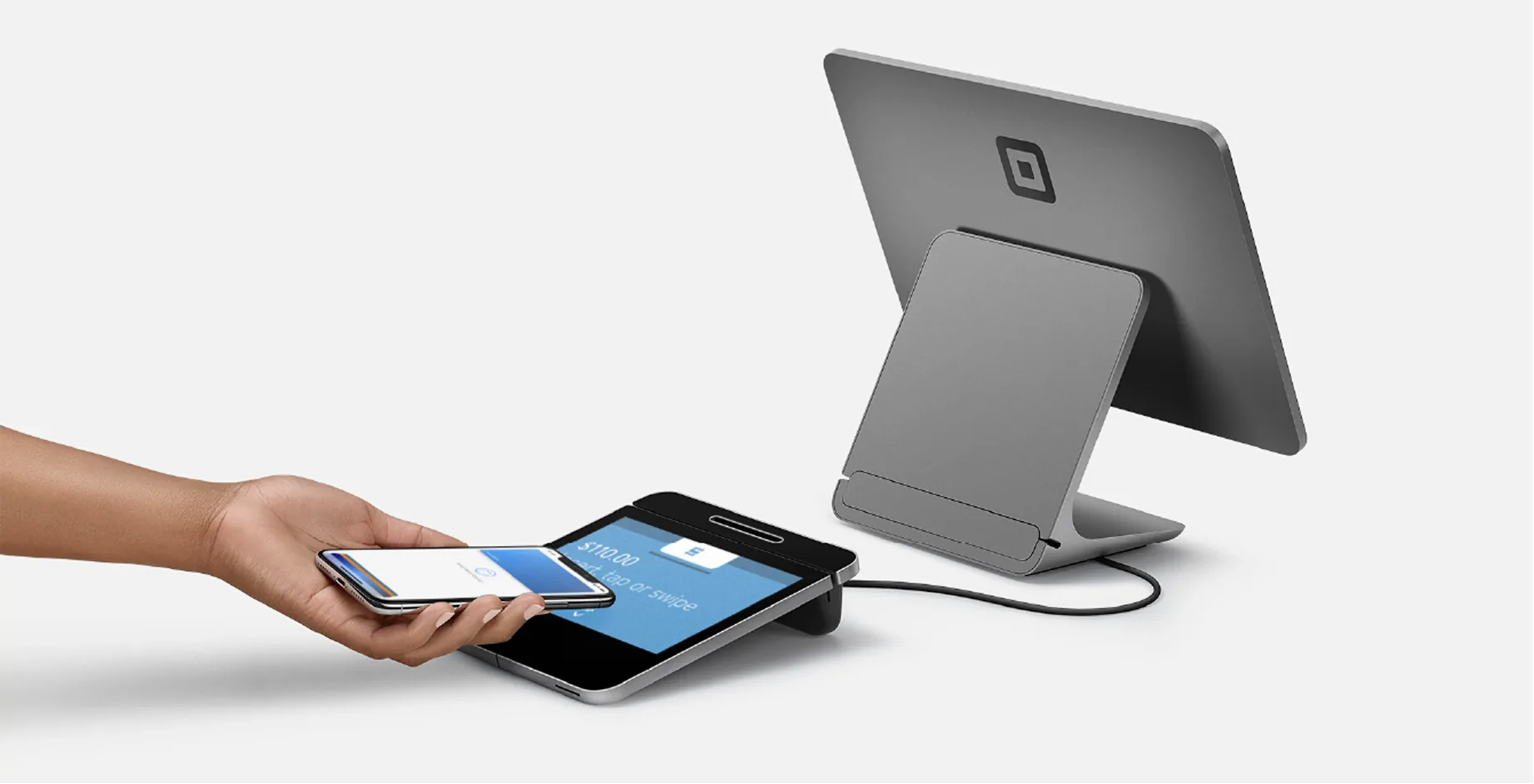
Quick Comparison:Square Devices at a Glance
Choosing the right Square hardware can be the difference between a smooth event and one filled with tech hiccups. To make your decision easier, we’ve laid out a comprehensive comparison of all the most-requested Square rental options available through Fello.
This detailed chart doesn’t just look at form factor or payment methods—it breaks down power needs, connectivity options, mobile readiness, accessory compatibility, and even what kind of receipt printers and barcode scanners work with each device. From high-volume registers to lightweight handhelds, this is your go-to resource for understanding which Square solution fits your event flow, staffing model, and tech setup.
Whether you’re powering a pop-up shop with no outlets, managing a high-end auction, or scanning tickets at a massive check-in table, this breakdown helps you zero in on the gear that works for you—not the other way around.
| Product | Square Stand for Contactless & Chip | 2nd Gen Square Stand | Square Register | iPad Mini with L7 Case | Square Terminal | Square Handheld |
|---|---|---|---|---|---|---|
 |  |  |  |  |  | |
| Form Factor | Desktop | Desktop | Handheld | Handheld | Desktop or Handheld | Handheld |
| Defining Feature | A basic POS that includes everything needed to take payments; easy to add accessories. | Same core functionality as the 1st Gen Square Stand, but with a more modern design. | Sleek, customer-facing display for a more polished checkout experience. | Includes a hand strap—ideal for all-day use while holding and operating the device comfortably. | Compact and user-friendly with a built-in receipt printer. | Compact and user-friendly with a built-in barcode scanner. |
| Power | AC Outlet | AC Outlet | AC Outlet | Battery | AC Outlet / Battery | Battery |
| Connectivity |
|
|
|
|
|
|
| Payment Methods We include a Square Magstripe reader with compatible devices that don't already have the magstripe reader built-in |
|
|
|
|
|
|
| Additional Media Installation | ||||||
Accessories Compatibility Payment Accessories | ||||||
| Square Contactless & Chip Reader Connects via Bluetooth | ||||||
| Dock for Square Reader Weighted dock to keep Contactless and Chip Reader secure on a table | ||||||
| Cash Drawer Connects via USB | ||||||
| Cash Box Key operated (Non-electric) | ||||||
Power Accessories | ||||||
| Anker Battery Pack | ||||||
Receipt Printers | ||||||
| USB Receipt Printer Connects via USB | ||||||
| Bluetooth Receipt Printer Connects via Bluetooth | ||||||
| Mobile Bluetooth Receipt Printer Battery Powered | ||||||
| Kitchen Printer Connects to same network via Ethernet that POS device is connected to via Wi-Fi or Ethernet | ||||||
Barcode Scanner | ||||||
| USB Barcode Scanner | ||||||
| Bluetooth Barcode Scanner Battery Powered | ||||||
Network Accessories | ||||||
| 4G Mobile Hotspot Not recommended for devices w/ built-in Cell Antenna | Not Recommended | Not Recommended | Not Recommended | |||
| Cradle Router Can be used to network a Kitchen Printer easily to POS, would replace Mobile Hotspot or 4G LTE | ||||||
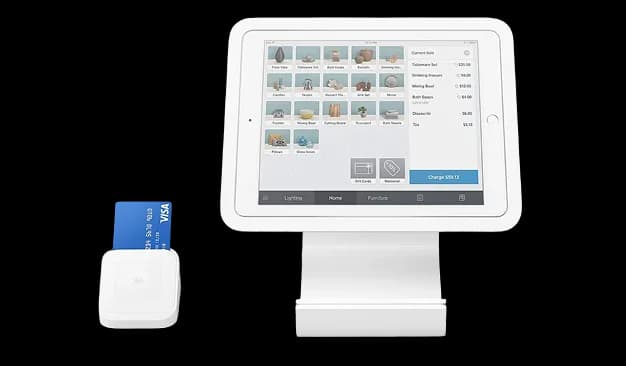
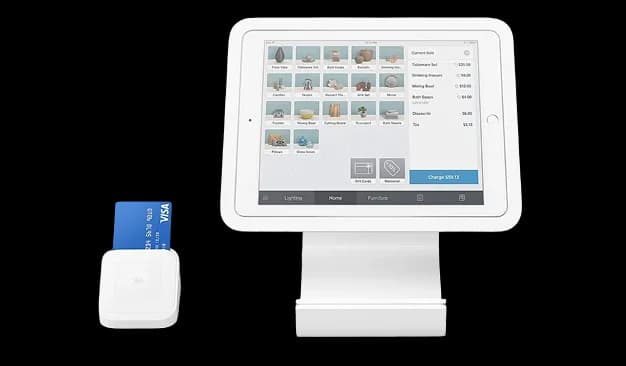
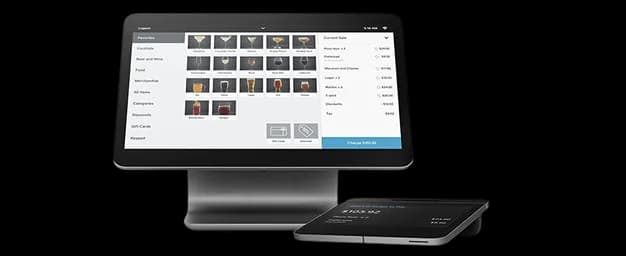
Square Stand for Contactless & Chip
A basic POS that includes everything needed to take payments; easy to add accessories.
Form Factor
Power
Connectivity
Payment Methods
Additional Media Installation
Accessories Compatibility
Payment Accessories
Square Contactless & Chip Reader
Connects via BluetoothDock for Square Reader
Weighted dock to keep Contactless and Chip Reader secure on a tableCash Drawer
Connects via USBCash Box
Key operated (Non-electric)Power Accessories
Anker Battery Pack
Receipt Printers
USB Receipt Printer
Connects via USBBluetooth Receipt Printer
Connects via BluetoothMobile Bluetooth Receipt Printer
Battery PoweredKitchen Printer
Connects to same network via Ethernet that POS device is connected to via Wi-Fi or EthernetBarcode Scanner
USB Barcode Scanner
Bluetooth Barcode Scanner
Battery PoweredNetwork Accessories
4G Mobile Hotspot
Not recommended for devices w/ built-in Cell AntennaCradle Router
Can be used to network a Kitchen Printer easily to POS, would replace Mobile Hotspot or 4G LTE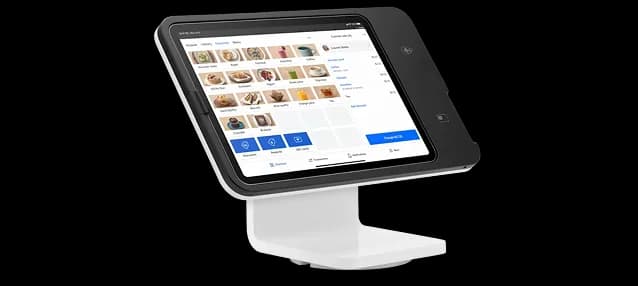
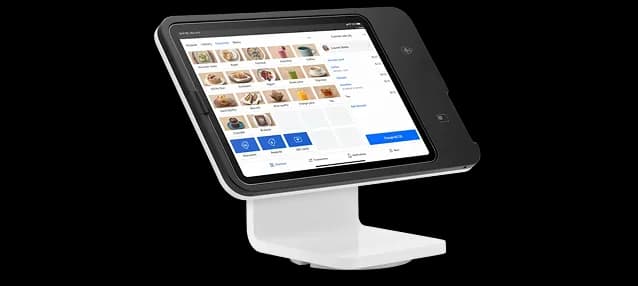
2nd Gen Square Stand
Same core functionality as the 1st Gen Square Stand, but with a more modern design.
Form Factor
Power
Connectivity
Payment Methods
Additional Media Installation
Accessories Compatibility
Payment Accessories
Square Contactless & Chip Reader
Connects via BluetoothDock for Square Reader
Weighted dock to keep Contactless and Chip Reader secure on a tableCash Drawer
Connects via USBCash Box
Key operated (Non-electric)Power Accessories
Anker Battery Pack
Receipt Printers
USB Receipt Printer
Connects via USBBluetooth Receipt Printer
Connects via BluetoothMobile Bluetooth Receipt Printer
Battery PoweredKitchen Printer
Connects to same network via Ethernet that POS device is connected to via Wi-Fi or EthernetBarcode Scanner
USB Barcode Scanner
Bluetooth Barcode Scanner
Battery PoweredNetwork Accessories
4G Mobile Hotspot
Not recommended for devices w/ built-in Cell AntennaCradle Router
Can be used to network a Kitchen Printer easily to POS, would replace Mobile Hotspot or 4G LTE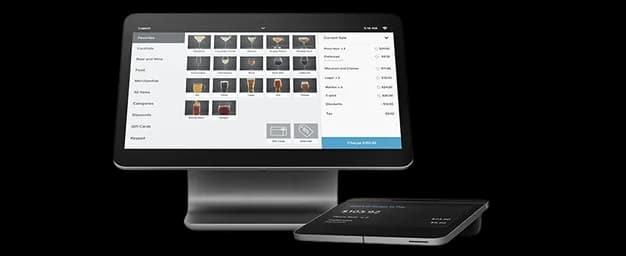
Square Register
Sleek, customer-facing display for a more polished checkout experience.
Form Factor
Power
Connectivity
Payment Methods
Additional Media Installation
Accessories Compatibility
Payment Accessories
Square Contactless & Chip Reader
Connects via BluetoothDock for Square Reader
Weighted dock to keep Contactless and Chip Reader secure on a tableCash Drawer
Connects via USBCash Box
Key operated (Non-electric)Power Accessories
Anker Battery Pack
Receipt Printers
USB Receipt Printer
Connects via USBBluetooth Receipt Printer
Connects via BluetoothMobile Bluetooth Receipt Printer
Battery PoweredKitchen Printer
Connects to same network via Ethernet that POS device is connected to via Wi-Fi or EthernetBarcode Scanner
USB Barcode Scanner
Bluetooth Barcode Scanner
Battery PoweredNetwork Accessories
4G Mobile Hotspot
Not recommended for devices w/ built-in Cell AntennaCradle Router
Can be used to network a Kitchen Printer easily to POS, would replace Mobile Hotspot or 4G LTE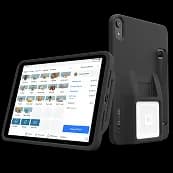
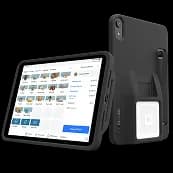
iPad Mini with L7 Case
Includes a hand strap—ideal for all-day use while holding and operating the device comfortably.
Form Factor
Power
Connectivity
Payment Methods
Additional Media Installation
Accessories Compatibility
Payment Accessories
Square Contactless & Chip Reader
Connects via BluetoothDock for Square Reader
Weighted dock to keep Contactless and Chip Reader secure on a tableCash Drawer
Connects via USBCash Box
Key operated (Non-electric)Power Accessories
Anker Battery Pack
Receipt Printers
USB Receipt Printer
Connects via USBBluetooth Receipt Printer
Connects via BluetoothMobile Bluetooth Receipt Printer
Battery PoweredKitchen Printer
Connects to same network via Ethernet that POS device is connected to via Wi-Fi or EthernetBarcode Scanner
USB Barcode Scanner
Bluetooth Barcode Scanner
Battery PoweredNetwork Accessories
4G Mobile Hotspot
Not recommended for devices w/ built-in Cell AntennaCradle Router
Can be used to network a Kitchen Printer easily to POS, would replace Mobile Hotspot or 4G LTE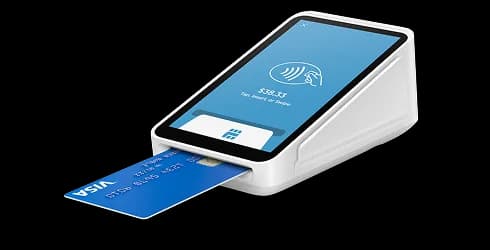
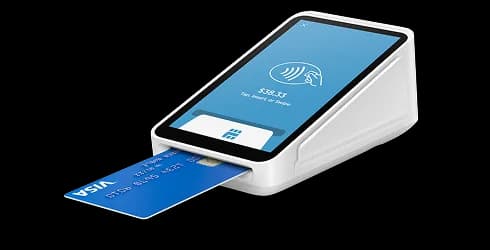
Square Terminal
Compact and user-friendly with a built-in receipt printer.
Form Factor
Power
Connectivity
Payment Methods
Additional Media Installation
Accessories Compatibility
Payment Accessories
Square Contactless & Chip Reader
Connects via BluetoothDock for Square Reader
Weighted dock to keep Contactless and Chip Reader secure on a tableCash Drawer
Connects via USBCash Box
Key operated (Non-electric)Power Accessories
Anker Battery Pack
Receipt Printers
USB Receipt Printer
Connects via USBBluetooth Receipt Printer
Connects via BluetoothMobile Bluetooth Receipt Printer
Battery PoweredKitchen Printer
Connects to same network via Ethernet that POS device is connected to via Wi-Fi or EthernetBarcode Scanner
USB Barcode Scanner
Bluetooth Barcode Scanner
Battery PoweredNetwork Accessories
4G Mobile Hotspot
Not recommended for devices w/ built-in Cell AntennaCradle Router
Can be used to network a Kitchen Printer easily to POS, would replace Mobile Hotspot or 4G LTE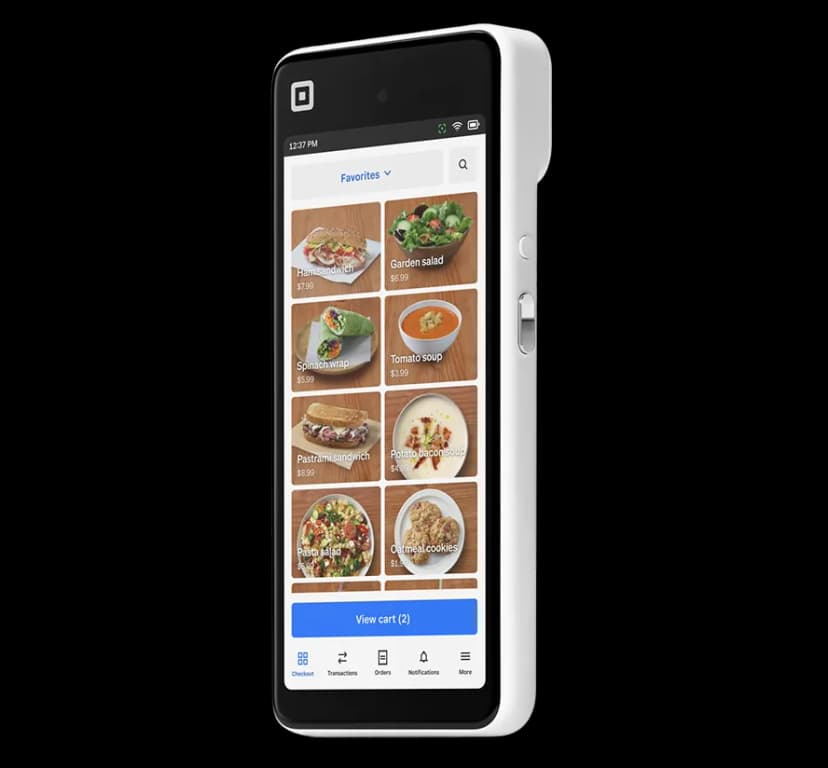
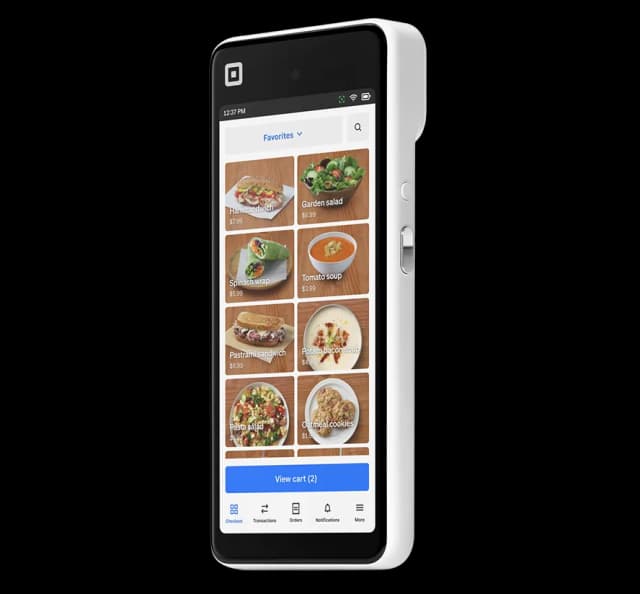
Square Handheld
Compact and user-friendly with a built-in barcode scanner.
Form Factor
Power
Connectivity
Payment Methods
Additional Media Installation
Accessories Compatibility
Payment Accessories
Square Contactless & Chip Reader
Connects via BluetoothDock for Square Reader
Weighted dock to keep Contactless and Chip Reader secure on a tableCash Drawer
Connects via USBCash Box
Key operated (Non-electric)Power Accessories
Anker Battery Pack
Receipt Printers
USB Receipt Printer
Connects via USBBluetooth Receipt Printer
Connects via BluetoothMobile Bluetooth Receipt Printer
Battery PoweredKitchen Printer
Connects to same network via Ethernet that POS device is connected to via Wi-Fi or EthernetBarcode Scanner
USB Barcode Scanner
Bluetooth Barcode Scanner
Battery PoweredNetwork Accessories
4G Mobile Hotspot
Not recommended for devices w/ built-in Cell AntennaCradle Router
Can be used to network a Kitchen Printer easily to POS, would replace Mobile Hotspot or 4G LTENot Sure What to Choose?We’ve Got You.
Many event organizers find this comparison chart helpful, but still want a second opinion—and we’re happy to weigh in. Our team can help match you with the right combination of Square POS gear, iPad kiosk rentals, iPad stand rentals, printers, scanners, and accessories to ensure everything works together seamlessly.
Want a faster route?
Use our Square Hardware Guided Question Flowchart below to narrow it down based on event type, power availability, and device usage.
Or just reach out—whether it’s a fully custom setup or a last-minute rental, Fello will make sure your event tech is 100% ready when it gets to you.
The Square Hardware Guided
Question Flowchart
Use the guided flowchart below to quickly narrow down the best-fit device based on power access, connectivity, accessory needs, and how your team plans to use the hardware onsite. It’s the fastest way to make an informed decision—without second-guessing.
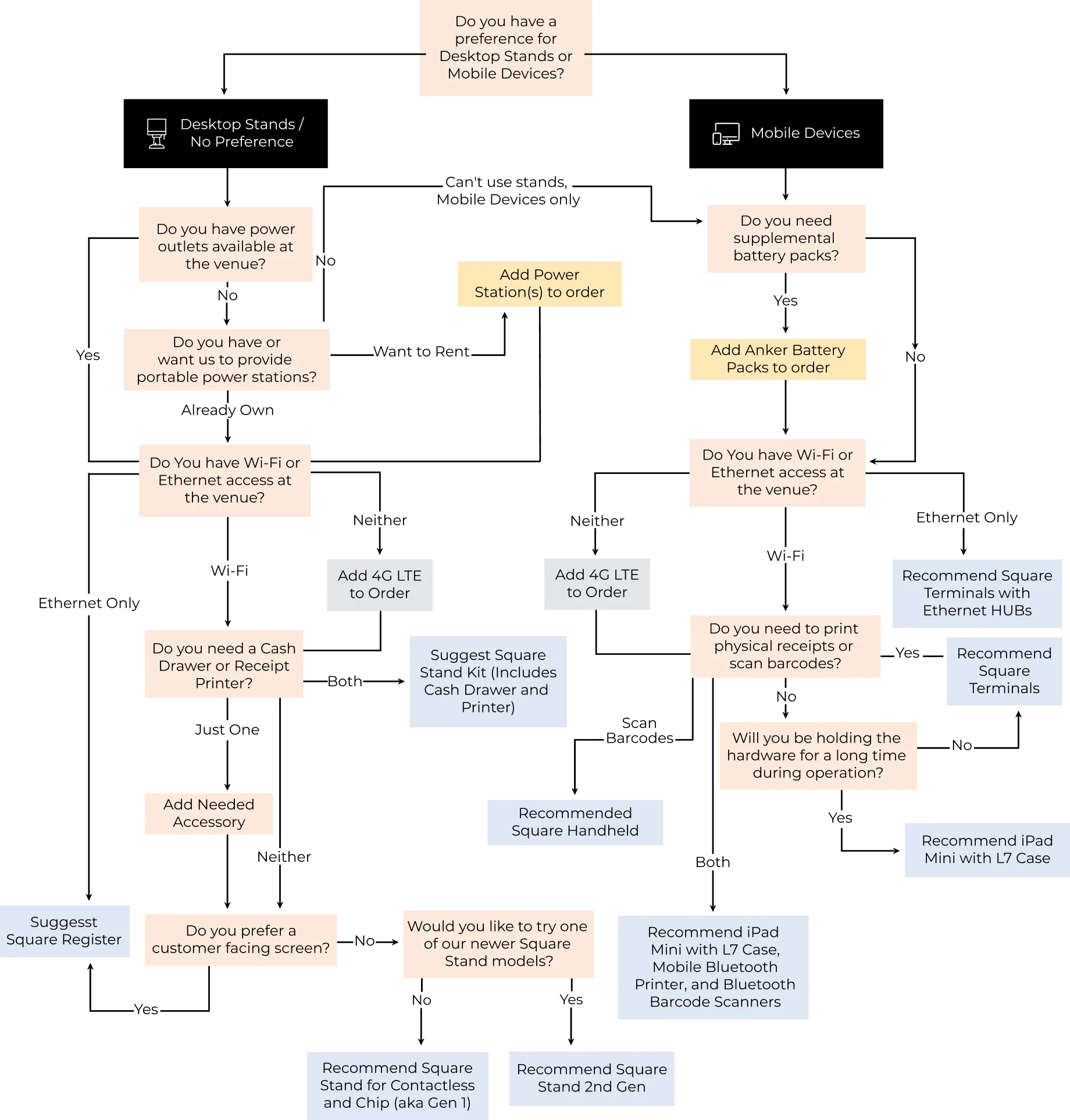
Remember, no matter what the chart recommends, our team is here to help with custom setups, special configurations, and event-specific requirements. If you’re dealing with a unique venue, tight timeline, or layered hardware needs, just reach out—we’ll make sure your Square rental works exactly the way you need it to.
How to Choose:Event-Based Recommendations
Not all events are created equal—and neither are your hardware needs. Whether you’re checking in guests, processing payments, or scanning tickets, the right Square device setup can help everything run smoothly. Here are common event scenarios and our top hardware recommendations for each one.

1
Are you working a mobile event with no access to outlets?
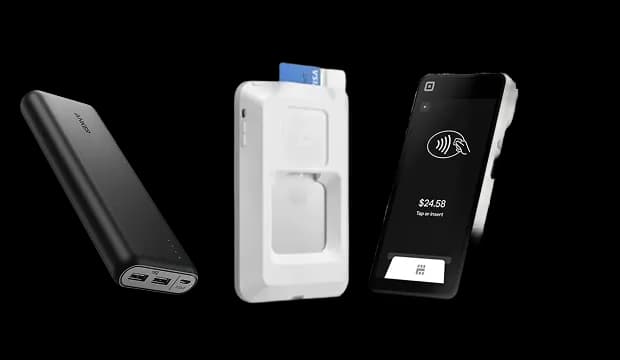
Go with the Square Terminal or iPad Mini with L7 Case + optional Anker Battery Packs.
2
Need a polished front desk/check-in look?
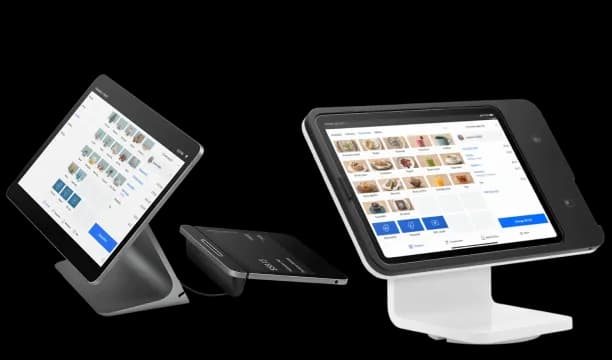
For a sleek setup, go with 2nd Gen Square Stand. For a premium touch, choose Square Register with a built-in customer screen.
3
Are you scanning tickets or selling on-site?
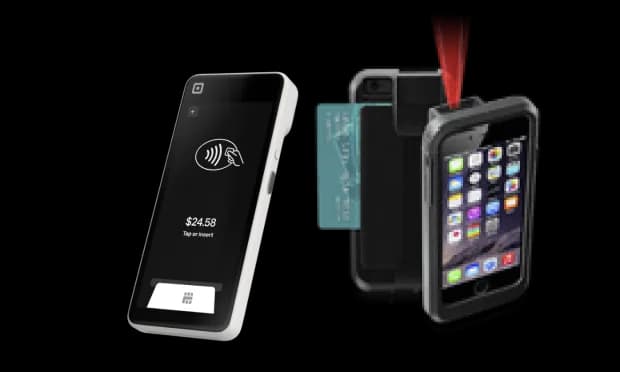
Scanning tickets or selling on-site? Pair your device with scanners and printers for a complete setup. Using Eventbrite? Use our Eventbrite-ready gear for full integration, including Tap to Pay and ticket scanning.
4
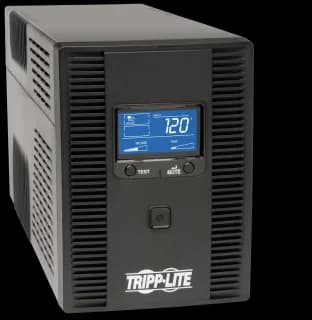
Hosting a multi-day event?
Ask about our Portable Power Station rentals to keep stands running for up to 8–10 hours without recharge.
5
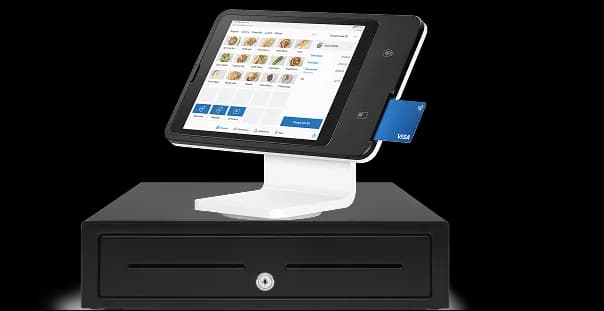
Running a pop-up shop or retail booth?
Square Register or 2nd Gen Square Stand with cash drawer and receipt printer offers a full checkout experience—just like a permanent retail setup.
6
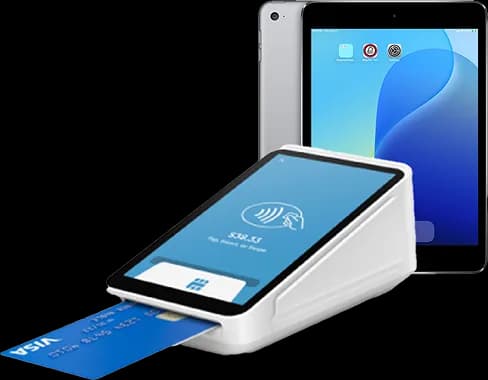
Need to collect donations at a fundraiser or gala?
Use the Square Terminal or iPad Mini with L7 Case for a sleek, handheld setup that lets you move between guests and tables with ease.
7
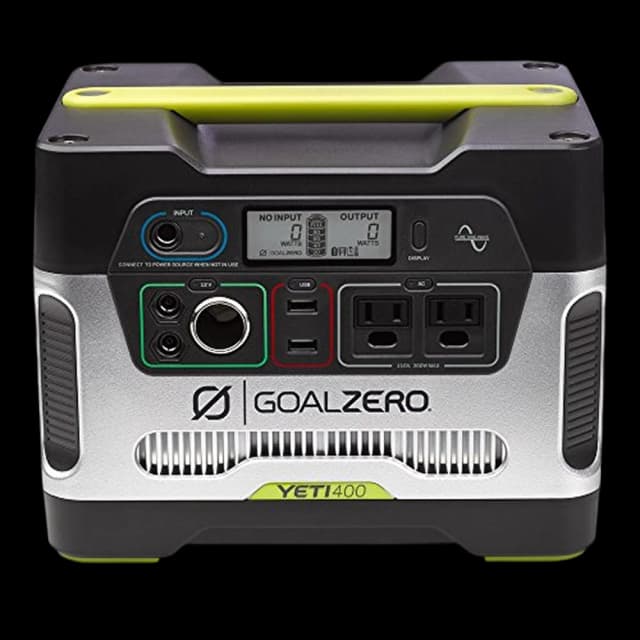
Working outdoors or in unpredictable environments?
Go for battery-powered, self-contained options like the Square Terminal and supplement with Anker battery packs or Portable Power Stations to stay unplugged and operational all day.
8
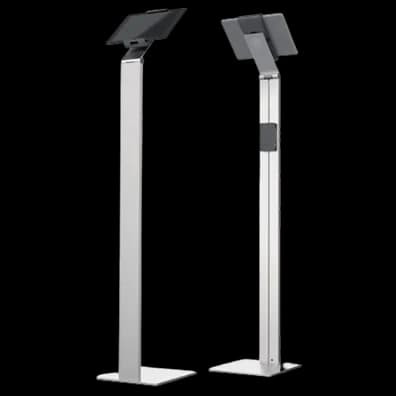
Want to match your hardware to your brand experience?
We offer preloaded apps, customized wallpapers, and kiosk-lock configurations so your devices reflect your branding from the moment attendees arrive.
9
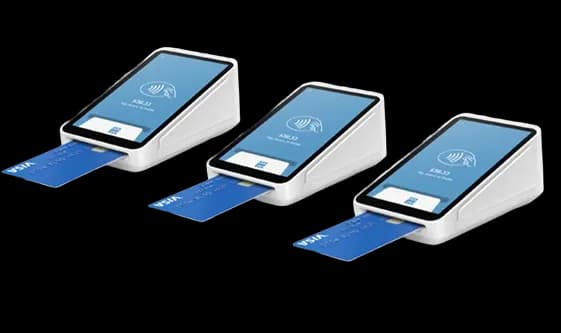
Managing multiple check-in points or stations?
Combine multiple iPad Minis or Terminals with 4G LTE hotspots for a flexible, scalable setup without relying on venue Wi-Fi.
10
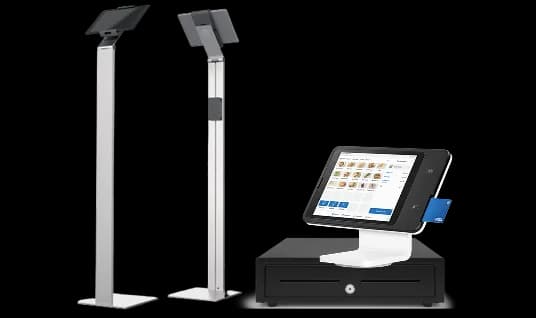
Supporting multiple vendors or activations at one event?
Ask us about bundling Square devices by zone or vendor, with tailored setup and pre-configured user flows for each station.
Still not sure what fits your specific use case?
Our team can walk you through your options, help customize your configuration, and make sure you’re fully set up—no matter the complexity or timeline. Just tell us your plan, and we’ll make the tech work for you.
What Makes Fello Different
When you rent Square hardware from Fello, you're not just getting a box of devices—you’re getting a full-service experience designed to make your event setup seamless, stress-free, and secure.
Pre-configured devices tailored to your exact use case—no setup required.
Custom app installation including enterprise or App Store apps—no Apple ID needed.
Kiosk mode & lockdown settings to prevent browsing, tampering, or unauthorized access.
Custom branding options like lock screens, wallpapers, and home screen layouts on all iPads.
Chargers and connection accessories—no need to buy or scramble.
A frictionless return process with prepaid UPS labels.
Last-minute backup or replacement support if needed.
Whether you're planning weeks in advance or facing a last-minute scramble, Fello is built to deliver fast, flexible, and fully-prepped Square rentals you can count on.
Make It Yours:Flexible Setup Options for Every Event
Not all events need the same level of setup—so we offer three flexible customization tiers to match your needs, timeline, and budget. Whether you're running a quick check-in station or a fully branded activation, we've got you covered.
| Tier | What’s Included |
|---|---|
| Basic | Devices are shipped with our standard configuration—no extra app installs needed. |
| Intermediate | We’ll preload one app from the App Store (e.g., Eventbrite) and apply standard Fello branding or your logo if provided. |
| Advanced | Full customization: multiple apps installed, custom wallpapers, branding, media files, and kiosk mode configuration to lock in functionality. Ideal for partner integrations or enterprise use. |
💡Pro Tip
You can select your customization tier during checkout, or speak with your Fello rep to get everything set up exactly how you want it.
Want to preload a presentation? Brand every device with your logo?
Lock down the interface?
We can make it happen—just say the word.
Menu Build & Square ConfigurationBecause hardware is only as good as what’s on it
A Square setup succeeds or fails based on the menu behind it. Items, modifiers, pricing, categories, and flows all need to be built correctly to support fast, intuitive checkout in real event conditions.
That’s why menu build is a core part of how Fello prepares your event tech, and why our support doesn’t stop once devices ship.
What this includes:
- Item, category, and modifier setup for efficient checkout
- Pricing, taxes, and discount logic configured correctly
- Menus built for check-in, retail, food, or ticketed experiences
- Multiple stations or user flows configured as needed
- Ongoing support through delivery and arrival onsite, even when final details are still coming together
Most onsite Square issues aren’t hardware problems. They’re menu problems.
We help resolve them before and upon arrival so your team isn’t fixing things under pressure.
Menu build can be selected during checkout or reviewed with your Fello rep as your event setup takes shape.
Seamless Partner Integrations That Just WorkMake your favorite platforms event-ready with no setup stress.
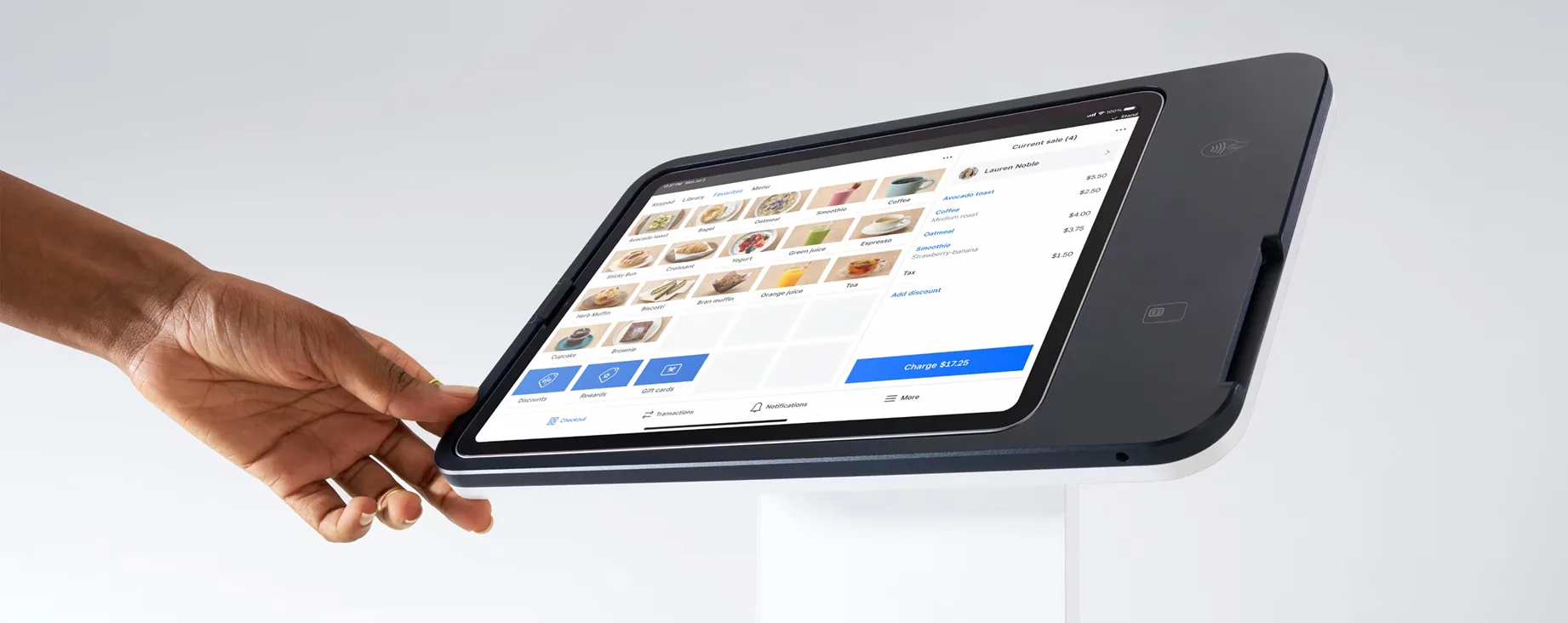
At Fello, we understand that every partner has unique requirements—so we’ve built solutions around the platforms and apps you already use.
Eventbrite: Complement your Square Hardware with Eventbrite Scanners and Tap-to-Pay solutions.

MDM Setup: Managing large teams? Our MDM setup lets you securely control and restrict devices at scale—ideal for enterprise events.
Fello’s Field-Tested Tips for Flawless Events
From timing to tools, here’s how to make your rentals work harder for you.
The best event experiences happen when you’re not sweating the tech. Here are a few key tips from our experts:
- Order Early: Yes, we support urgent, last-minute requests—but when you plan ahead, we can fully customize your setup and guarantee inventory availability.
- Not Sure What You Need? Check out our Guided Hardware Selector to narrow your choices or contact one of our seasoned rental experts who can walk you through the options.
- Need Help Mid-Event? Our support team is just a call away. Whether it’s a connectivity issue or an accessory question, we’re here to keep your show running smoothly.
Take the Next Step
Ready to Rent?
Fill out the form to view the full whitepaper PDF.
Let's elevate your next event. Talk to an event technology expert at Fello today.
Book your rental now and we’ll handle the logistics so you can focus on your event.

At Fello, we provide seamless technology solutions tailored to your needs, ensuring your events run smoothly and successfully.
Rental Solutions
Fello + Partners


The ultimate tablet and iPad rental source for events and businesses. Thousands of iPads available and in stock for immediate rental. Whether you need to rent 10, 50, 100, 1,000, 2,000 or 5,000 iPads, we have you covered. Serving all 50 states, including bulk iPad rentals in Atlanta, Austin, Baltimore, Birmingham, Boston, Buffalo, Charlotte, Chicago, Cincinnati, Cleveland, Columbus, Dallas, Denver, Detroit, Fort Lauderdale, Fort Worth, Hartford, Houston, Indianapolis, Jacksonville, Kansas City, Las Vegas, Los Angeles, Louisville, Memphis, Miami, Milwaukee, Minneapolis, Nashville, New Orleans, NYC, Orlando, Philadelphia, Phoenix, Pittsburgh, Portland, Raleigh, Richmond, Sacramento, Salt Lake City, San Antonio, San Diego, San Francisco, San Jose, Seattle, St. Louis, Tampa, Tucson, Tulsa, Washington DC. iPad is a copyrighted and trademarked item belonging to Apple Inc. Fello and Flying Connected, Inc. are not affiliated with Apple Inc.
Copyright © 2011–2026 Fello and Flying Connected, Inc. All rights reserved.